Your current plan
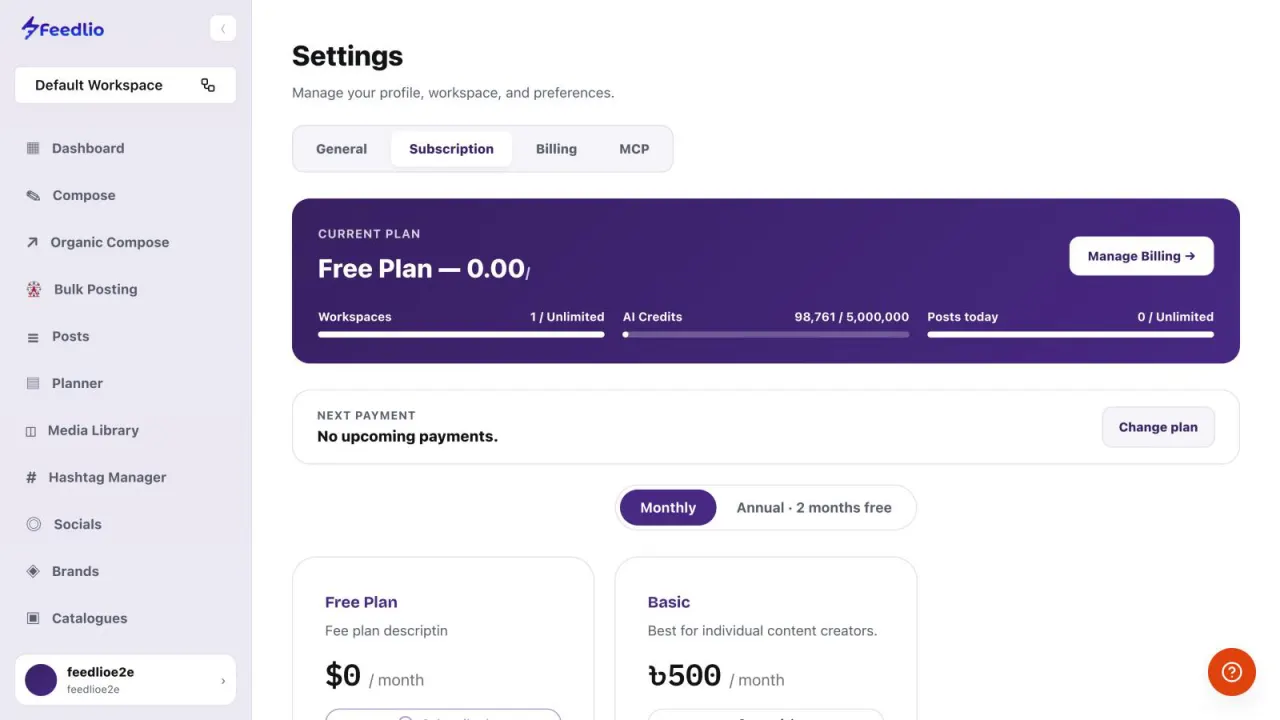
Open Settings → Subscription. The Current plan card shows your plan name and three meters: Workspaces, AI Credits and Posts today, each against your plan limit.
- Workspaces
- AI Credits
- Posts today

Check your current plan and limits, change plans or billing period, see how much you've used this cycle, and buy extra AI credits when you run low.
Video coming soonNothing to set up first. You can follow this guide straight away.
Follow along in the app. Tick each step off as you go.
Open Settings → Subscription. The Current plan card shows your plan name and three meters: Workspaces, AI Credits and Posts today, each against your plan limit.

Click Manage Billing to update your payment details. The Next payment box below shows when your next payment is due and how much it is.
12Choose Monthly or Annual billing with the toggle. Annual gives you two months free. Then pick a plan card and start a trial or subscribe.
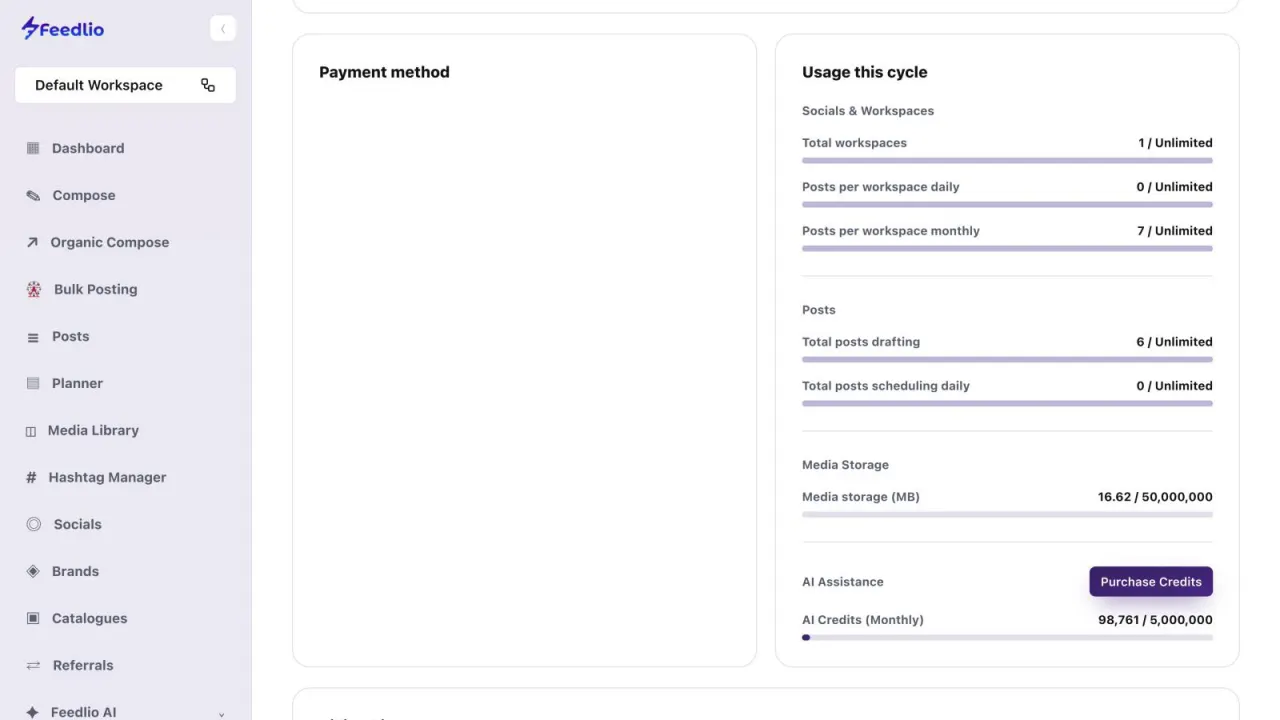
12Open the Billing tab. Usage this cycle breaks down your workspaces, posts per workspace per day and per month, drafts, daily scheduled posts and media storage.

AI credits power captions, images, campaigns and automations. Check your monthly balance under AI Assistance, and click Purchase Credits to top up any time. Your billing history is listed further down.
The Plan Usage card on your Dashboard also shows your monthly AI credits. Click View full usage to jump here.
12Check your plan and limits in Subscription, switch monthly or annual billing, change plan, monitor usage this cycle, and purchase extra AI credits.
AI credits power Feedlio's AI features, including captions, images, campaigns and automations.
Annual billing gives you two months free compared with paying monthly.
Open Settings, then Billing, and click Purchase Credits under AI Assistance to top up at any time.
Open Settings, then Subscription, and click Manage Billing on your current plan card.
Your billing history is listed at the bottom of the Billing tab.
0:00In this video, you'll see your current plan, how much of it you've used, how to change plans, and how to buy extra AI credits when you need them.
0:10Open Settings, then Subscription. The current plan card shows your workspaces, AI credits and posts today against your plan limits.
0:19Click Manage Billing to update payment details. Your next payment date and amount are shown just below.
0:26To upgrade, toggle between monthly and annual billing, where annual gives you two months free, then pick a plan and start your trial or subscribe.
0:36On the Billing tab, Usage this cycle breaks down your workspaces, daily and monthly posts, drafts, scheduled posts, and media storage.
0:46AI credits power captions, images, campaigns and automations. Watch your monthly balance here, and click Purchase Credits to top up any time. Billing history appears below.
0:58Recap: check your plan and limits in Subscription, switch monthly or annual billing, change plan, monitor usage this cycle, and purchase extra AI credits.
1:09You're in control of your plan and credits. Next, let's connect Feedlio to Claude and ChatGPT with MCP.